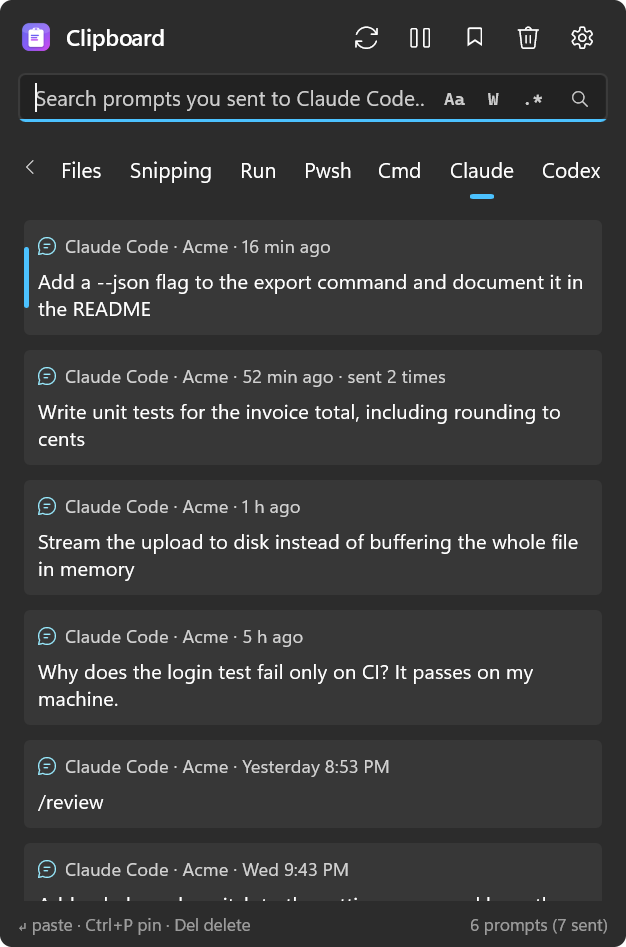
Tabs for other apps
BetterClipboard also keeps what other tools on your PC forget or bury: screenshots, Notepad++'s unsaved tabs, Win+R commands, shell history, the prompts you send to AI coding agents, and the files you open in Everything. Each source has its own tab and its own switch in Settings › Integrations. All of them are on by default, and the tab of an app you don't have stays hidden. BetterClipboard only reads these sources; it never changes their files or lists. Privacy sums up what each one reads.
Deleting what a source left. Delete stored… on each card opens a dialog that shows what BetterClipboard kept from that source, one part per row: how many, how large, and the newest examples (thumbnails for screenshots). The everyday parts are ticked; pinned and grouped items, and the lists of commands or picks you hid, are kept unless you tick them. Cancel is the default button, so Enter deletes nothing. The other app's files are never touched — ShareX's screenshots stay in ShareX's folders — and what you deleted is not imported again by the next catch-up, while new screenshots, runs and prompts are recorded as long as the switch is on (the dialog's Also turn off switches it off first). For Claude Code and Codex, whatever the agent still has is read again at once while the switch is on.