Features
- Takes over Win+V. The same shortcut opens the panel at once, by your text cursor. Add more shortcuts, any key or combination, or leave Win+V to Windows and pick your own (Taking over Win+V).
- Remembers everything, also after a restart. 10,000 items of up to 64 MB each by default, all adjustable. Win+V keeps 25 items of up to 4 MB, and a restart wipes all but its pins.
- Every kind of copy, with the app and the time on each card. A copy you make again moves to the top instead of
adding a duplicate (Tabs):
- Text, links and colors, rich text and HTML.
- Long texts in full: rest the mouse on one to read it, or press F3 for a viewer that draws Markdown and colors code (Text previews).
- Images with a full-size peek and a zoom viewer (Image previews). A screenshot keeps its file, to paste as a file or to open its folder (Pictures and their files).
- Files copied in Explorer, and paths copied as text (Paths in the Files tab).
- Windows' own history, its pins included, imported at each start. What you delete here is not imported again.
- Tabs for other apps, each with its own switch. BetterClipboard only reads their sources, and the tab of an app
you don't have stays hidden (Tabs for other apps):
- ShareX and Snipping: every screenshot they save, the moment it is saved.
- Notepad++: its unsaved "new" tabs, kept up to date as you edit them, and every file you open in it.
- Run: every Win+R command, also after Windows' list of 26 forgets it.
- Pwsh and Cmd: PowerShell's whole history, and the commands typed in your Command Prompt windows, kept after a window closes.
- Claude and Codex: every prompt you send to Claude Code and Codex, kept for good.
- Everything: the files you open from Everything, to paste as a file or a path.
- Instant search in any language, with VS Code's toggles: match case, whole word and regular expression (Search). Win+V has no search.
- Made for the keyboard. Enter pastes into the app you came from, Shift+Enter pastes plain text, and the arrow keys walk the items, the tabs and your groups (Use).
- Paste one item after another. Pin the panel and it stays open: each item you click goes into the app you were last in (Use).
- A panel that fits you. Move it, resize it, show 1 to 40 lines of each text, reorder or hide its tabs and its buttons; it opens in the tab you used last (Tabs).
- Pins and groups. Pin what you reuse, and gather things in groups with your own icons. Pinned and grouped items outlive every limit (Groups).
- Light on memory. After each use it frees the memory it no longer needs and keeps just what the next Win+V needs ready (How it works).
- Reads every copy. Copies 2 ms apart or more are all kept. Faster ones overwrite each other before any app can read them: the last one is kept and the rest are counted (How it works).
- Private. No telemetry and no account; the only request it makes by itself is a daily update check, which a switch turns off. The history is encrypted at rest, copies that apps mark as private and 46 password managers stay out, and Forget forever keeps a secret out for good (Privacy).
- A command line,
bclip, for scripts and AI agents: list, search, grep and read your history, or wait for your next copy, with JSON output (Command line). - One line to install, per user and without admin rights, or for every user of a PC (Install).
- Updates when you approve them. The update button lights up when a release is out, and nothing is installed until you say so (Updates).
- In your language: English, 简体中文, Русский, Español and עברית, in every download. The first start asks which.
- Settings you can search, typos included, for everything from the theme to where the panel opens (Use).
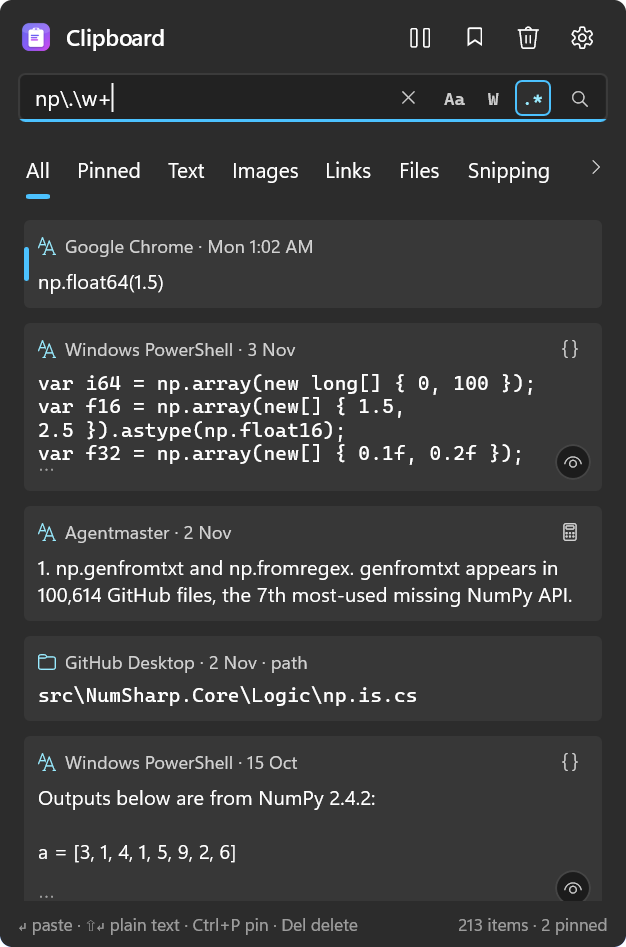 Search, regular expressions included |
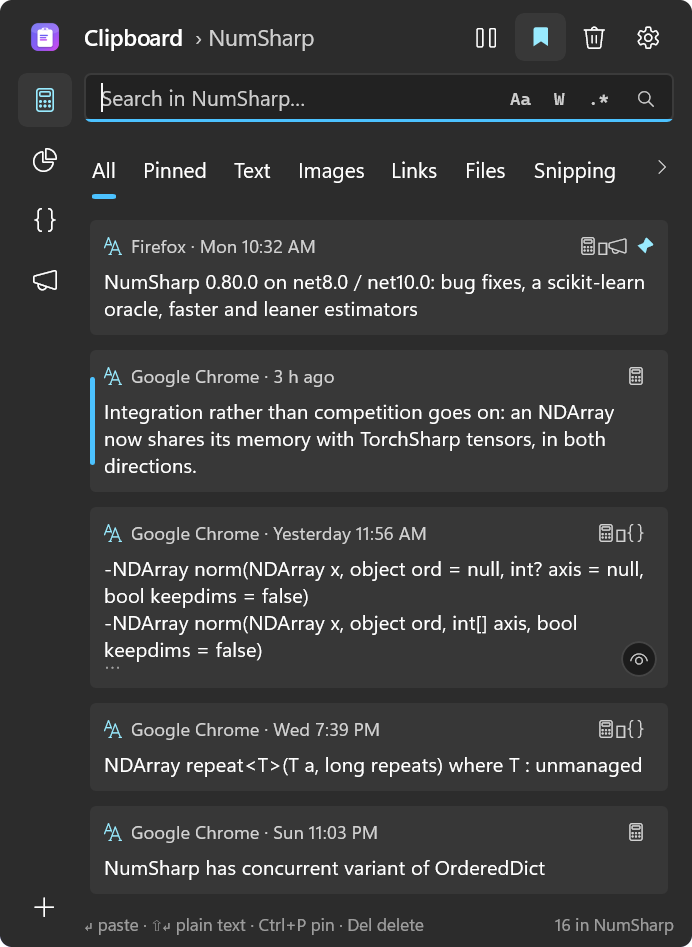 Groups for what you reuse |
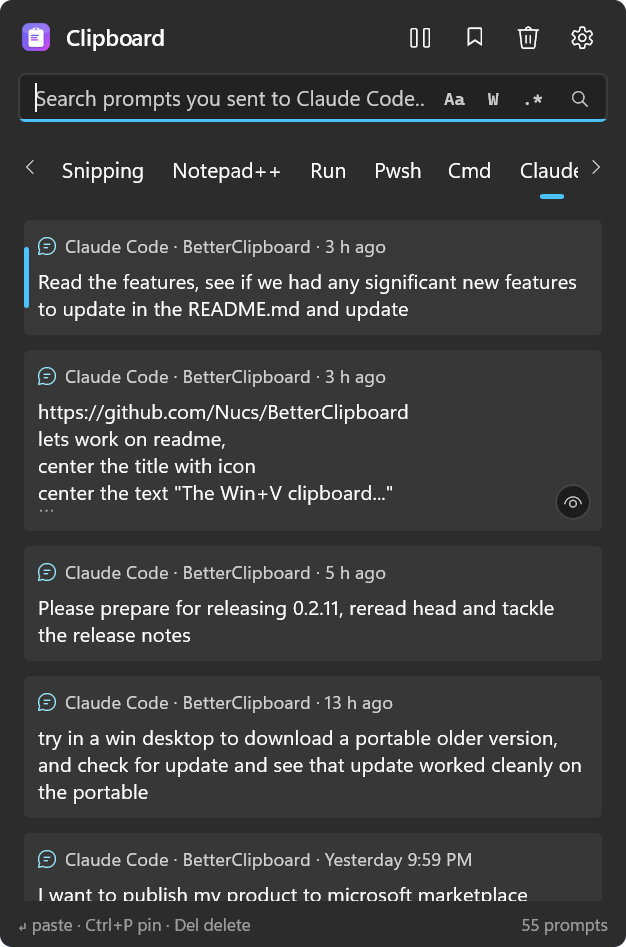 Your prompts to Claude Code and Codex |
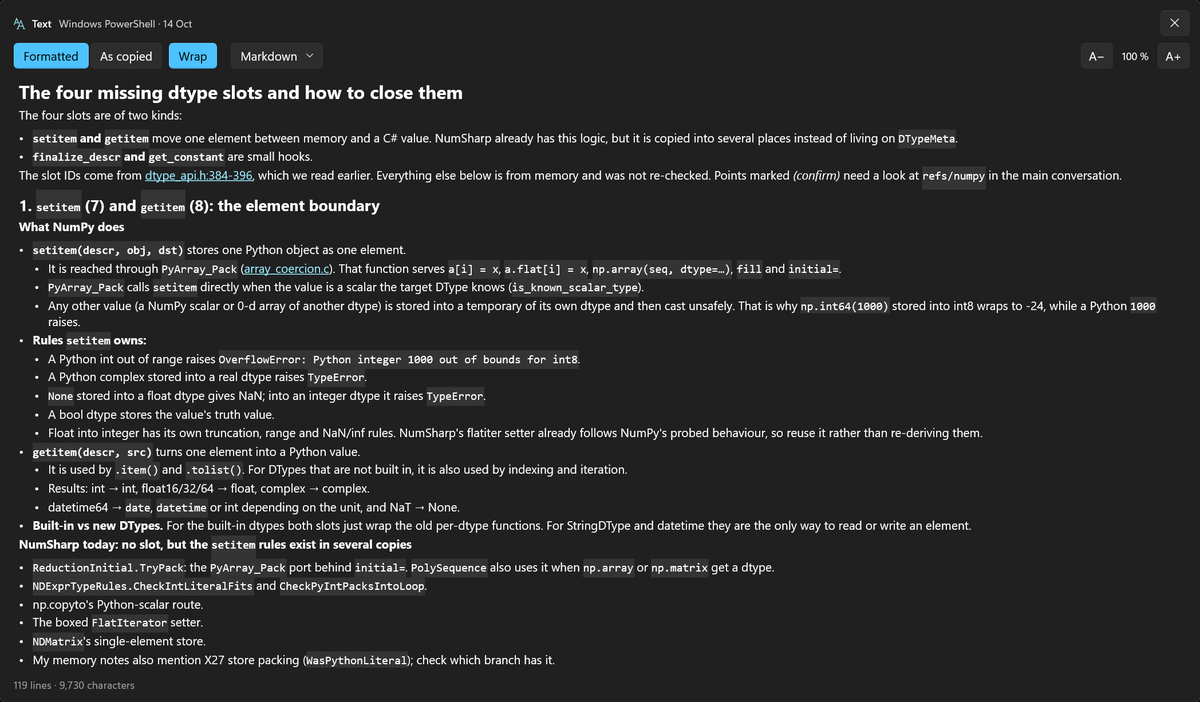 The text viewer: Markdown drawn, code in color |
 The image viewer, with the picture's file |